


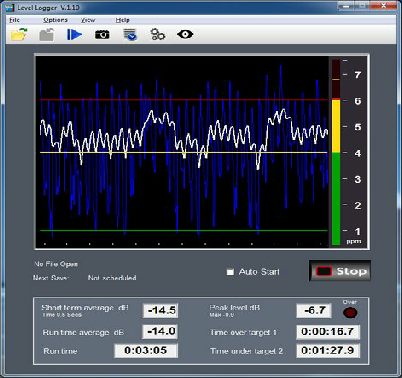
Alternative styles of graph are provided, lines or filled.
There are two movable target lines for reference levels.
Full scale may be set as required, for instance, as an SPL meter
using a microphone you may want full scale to read 90dB, while
for audio levels on a line input you may want 0dB as shown above.
Note: The response is essentially flat up to 20kHz. ‘A’ and ‘C’ weighting is not included at present.
Choose from CSV (comma separated values) or Plain Text for the Log Files.
Three options determine when results are written to the log file, the three options can be used simultaneously.
- Results are saved whenever the Stop button is pressed.
- Results are saved the set number of hours and minutes after the test is started with the start button, or after the set up screen is closed. Maximum is 24 hours.
- Results are saved according to the time on the next whole number of hours and every h hours after that.
The results logged are the maximum level since the last record, time and average level above and below the target lines and as percentage of the test time as a whole.
For more information download the demo and see the Help file within it.
If you find the program useful you might like to make a small donation.
The role of Level Logger is to measure the volume of sound and automatically record certain information in a log file. It may be used in place of a traditional Sound Pressure Level meter with a ‘C’ weighting or to measure a line input audio signal.
It needs to be calibrated using a real SPL meter for accurate results with a microphone.
Features
- Shows volume level on a graph which displays 1 to 60 seconds back in time.
- Graph can show an average or transient peaks, or both.
- Lines show the volume of two target zones and low-
level threshold. - Choice of scales, 0 to -
60, BBC PPM etc or user definable. - Display Stereo, or left, right, sum or difference only.
- Numeric display reads highest (peak) levels and records an average for the duration of the test.
- Starting and stopping each exercise can be done with a tap of the space-
bar or using level activation. - Up to 2 minutes from the start of a test is recorded and can be replayed instantly
- Save a snapshot of the current display as a jpeg image
- Levels above and below the targets shown as total times and percentage.
- Record log file as plain text or comma separated values.
- Readings are muted below low-
level threshold. - Meter reads peaks on a choice of scales including user set full-
scale. - Overload ‘led’ lights at -
1dB below system full scale digital level. - An open file resumes automatically even if the program is closed and restarted.
- Two instances can be started from the same short-
cut, each with unique settings.

© Paul Marshall 2011
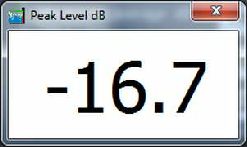
An additional resizeable window shows peak level -